Whitebox pentesting is now available in Escape's AI Pentesting - Cascade
Run Escape's AI Pentesting with your source code.


Every yearly pentest opens the same way. The tester spends the first hours mapping what you already know: which framework you run, where sessions get validated, which routes exist, which handlers have no auth check on them. A lot of information already sits in your repository.
Escape's AI pentesting engine "Cascade" can now start from the code. Every finding is still proven live.
Whitebox mode is available on demand. We built it with design partners over the past few months, and we're opening it to more teams now.
What happens when you attach a codebase
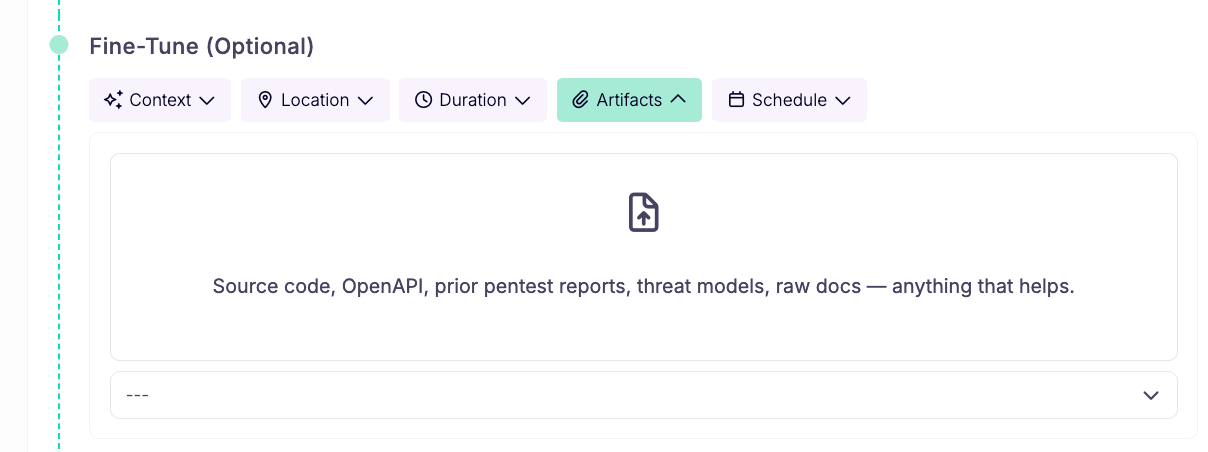
You attach your repository as a .zip when you launch a pentest, under Fine-Tune (Optional) then Artifacts in the New Pentest form. When source is present, Cascade switches into its source-aware whitebox workflow automatically. You cannot enable or disable whitebox as a separate toggle: it runs when source code is attached.
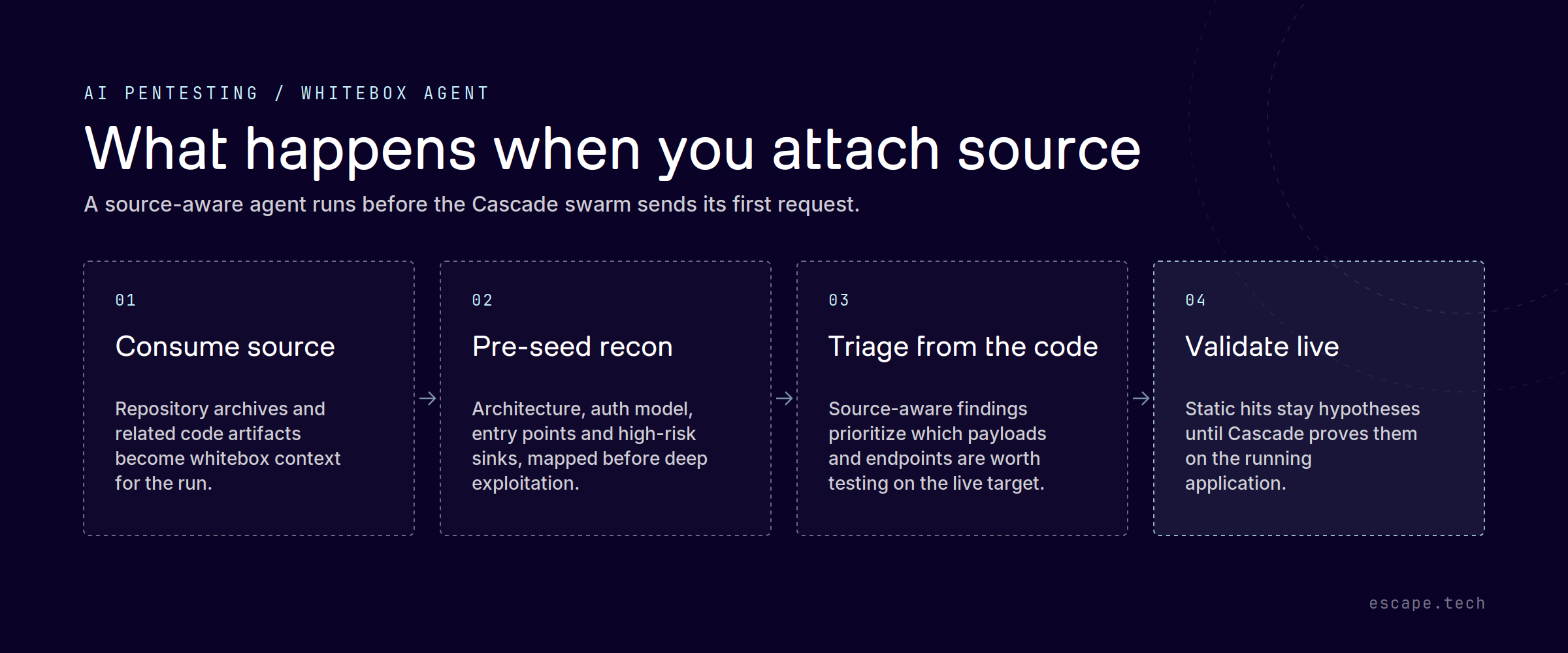
Before the Cascade swarm sends its first request, the whitebox agent unzips the archive, reads the repository, and writes down three things every later agent inherits:
- Tech fingerprint. Frameworks, servers, ORMs, dependency versions.
- Auth model. Where identity, sessions, tokens, roles and guards actually live.
- Source code map. Architecture, entry points, the route to handler table with unguarded handlers flagged, and dangerous sinks with exact
file:line.
The swarm then starts from a map instead of a blank page. Less time spent guessing where the attack surface is. More time spent proving real exploits on the parts of the app that matter.
Source findings still have to be proven live
Source-derived leads enter the run as coverage gaps with file:line context. Cascade workers then validate them against the running application. A vulnerability only reaches your report once it has been live-validated and the reporter confirms it.
What changes is what the finding carries. A proven vulnerability can now point at the exact file and function behind it, with the code attached as evidence alongside the usual reproduction steps. Your engineers stop reading a report and then hunting for the line it refers to.
That keeps report quality where it is today. You get proven exploits, not a flood of unverified scanner output with our logo on it.
Uploading a codebase
- Archives get their own, much larger ceiling: 200 MB per archive, 250 MB per run. Codebases are bigger than a PDF.
- Any archive you attach is treated as a possible codebase and routed to source recon automatically. No new toggle, no new field to fill.
- If the upload turns out not to be source, a data dump or a binary, the agent says so in one short note and moves on. No budget burned on it.
Where your code goes
We're asking you for your source, so we should be precise about how it's handled.
Secrets found in code are used only to understand exposure. They are never reported as findings, and never written into shared knowledge un-redacted.
What persists between scans is deliberately limited to reusable architecture: route families, components, auth boundaries. Code snippets, vulnerable excerpts and secret values are explicitly excluded.
How we're measuring it
Source access should find more than blackbox alone. That's an assumption until it's measured.
Our published benchmark on two live applications has also already answered part of it. On Photoview, Cascade went from 12 validated findings blackbox to 28 with the repository attached, at a 0% false-positive rate in both conditions. On Fider it went from 26 to 28. The uplift lands mostly in the medium and low tier, the code-path issues you reach by reading a function.
Our internal benchmarks have shown 32% improvement in detection on average.
It's worth stating that blackbox remains the realistic mode, because it's the view an attacker actually has, and on those apps it didn't miss a single high-severity vulnerability that source would have caught. Whitebox is how you go deeper on the paths behind them, and how you get there faster.
Getting access
Whitebox pentesting runs on demand for selected customers. If you want your next Cascade pentest to start with the code in hand, talk to your account team, or book a demo.
The whitebox agent documentation covers the setup.