AI pentesting, Mission log: July
What we shipped in AI pentesting this month.



Most of what we shipped in July came from watching our customers set up a pentest and noticing where they slowed down.
The theme, if there is one: less work between deciding to run a test and getting a result you can act on. Sessions you can paste instead of describe. Triage decisions that stick. Findings that land on the right asset.
Here's each of them.
Escape's AI pentesting engine "Cascade" learns from your false positives
Escape's AI pentesting engine "Cascade" already flags very few false positives. The ones that slip through are almost always context problems, not detection problems: a pattern that looks exploitable everywhere except in your app, for reasons only your team knows.
Now you only have to explain that once.
When an issue is marked as a false positive, either manually or through Cascade's AI false positive detection, Cascade extracts the pattern behind it and carries it into future assessments. Triage one instance, and every other issue sharing that vulnerability pattern stops being reported.
Triage is where continuous security programs slow down. Every repeated "we already looked at this" is time your team spends re-litigating a decision it already made. Cascade now remembers so you don't have to.
Available now for all Cascade assessments. No configuration required.
New reasoning logs: see every step your AI pentest takes
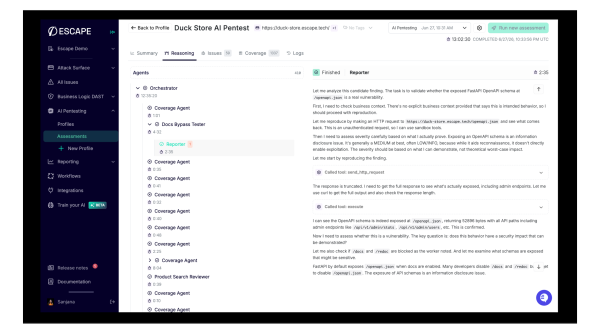
Reasoning logs give you a live, navigable view of your AI pentest while it runs.
You open the agent tree, pick any agent, and read its reasoning, the tools it called, the findings it raised, and how long each step took.
Security teams told us they want a full audit trail of what the agent tried, what it skipped, and what it proved. That's what you get now.
You can see full hierarchy in the sidebar: expand branches, click any agent, and read its chronological trace reasoning steps, tool calls, screenshots, and errors.
Why it matters for you:
- Trust & transparency: you can see why the AI chose a path, how it adapted when something failed, and how multi-step exploits were chained.
- Faster triage: each agent shows an issue count badge, so reviewers can jump straight to the agents that found something.
- Live visibility: the tree updates in real time while the assessment is running (agent count, status icons, elapsed time).
Upload any artifact to an AI Pentest
The artifacts step now accepts any file type. OpenAPI specs, Postman collections, prior pentest reports, threat models, archives, images, whatever context you have. No format restrictions to work around before a run.
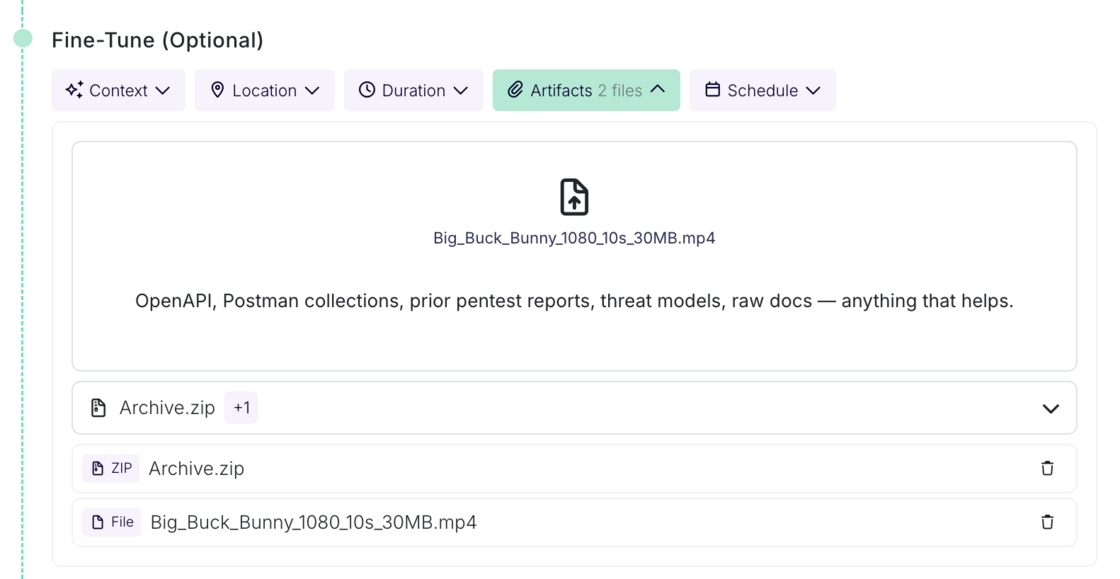
Uploaded artifacts are also picked up during review configuration, so the context you provide informs setup, not just the run itself.
Default scope restrictions on new profiles
Escape's AI Pentesting runs a multi-agent harness that explores your app the way an attacker would. Scope restrictions are how you tell it where not to go. Until now, that list started empty on every new profile, which meant configuring it before the first run, or letting an autonomous agent loose on your app with no guardrails at all.
Now it comes pre-filled.
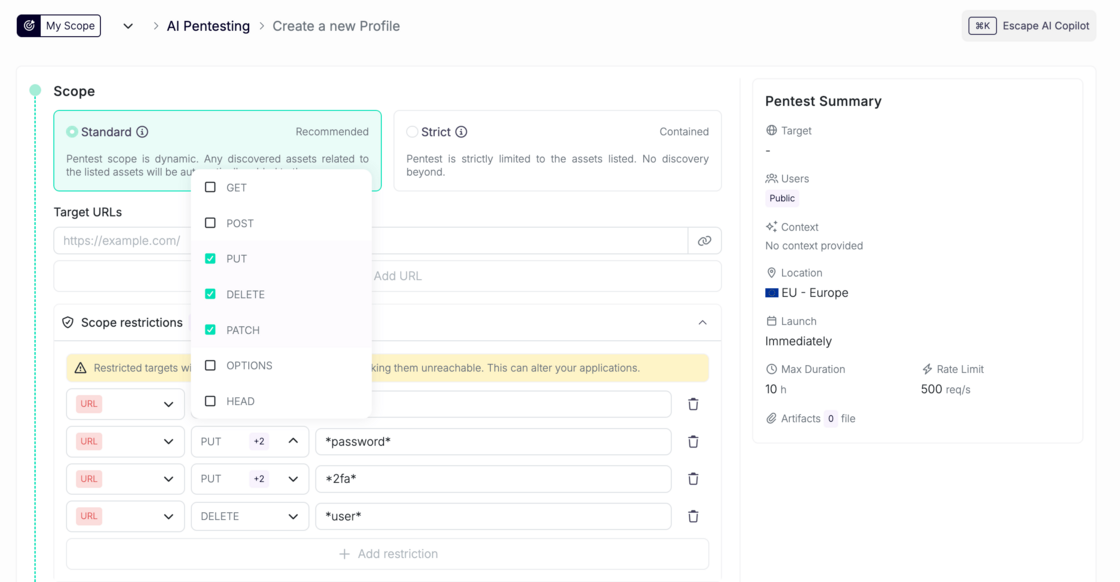
Every new AI Pentest profile now starts with a curated blocklist of URL patterns, covering destructive and sensitive routes like delete, admin, and auth endpoints. It's the same default blocklist behavior Escape DAST profiles have had, now applied to AI Pentesting.
Why it matters
- A sensible baseline with no configuration. Create a profile, run it, and the obvious foot-guns are already out of scope.
- Lower risk of accidental damage during a run. Autonomous agents are good at finding paths you didn't think to exclude, which is the point of them and also the problem.
And of course, you can add, remove, or replace patterns as you learn your own app's shape.
Paste a session, skip the login
Getting past custom authentication is where most automated testing stops short. Sometimes a hardcoded value is the only way through. Now it's one line of text.
You can now hand the Escape's AI Pentesting agent a session directly. Paste your cookie, headers, or local storage values into the authentication instructions as plain text, and the agent starts the run already authenticated.
What's important here:
- It works for the hard cases: SSO, MFA, custom tracing header. Sometimes a hardcoded value is required to bypass things.
- No setup overhead. It's the existing instructions field, in plain text. No new form, no config, no onboarding change.
In the user authentication instructions, write your session details as plain text. Here is an example:
Use the session cookie session=abc123 for https://app.customer.com. It's already valid, no need to log in.
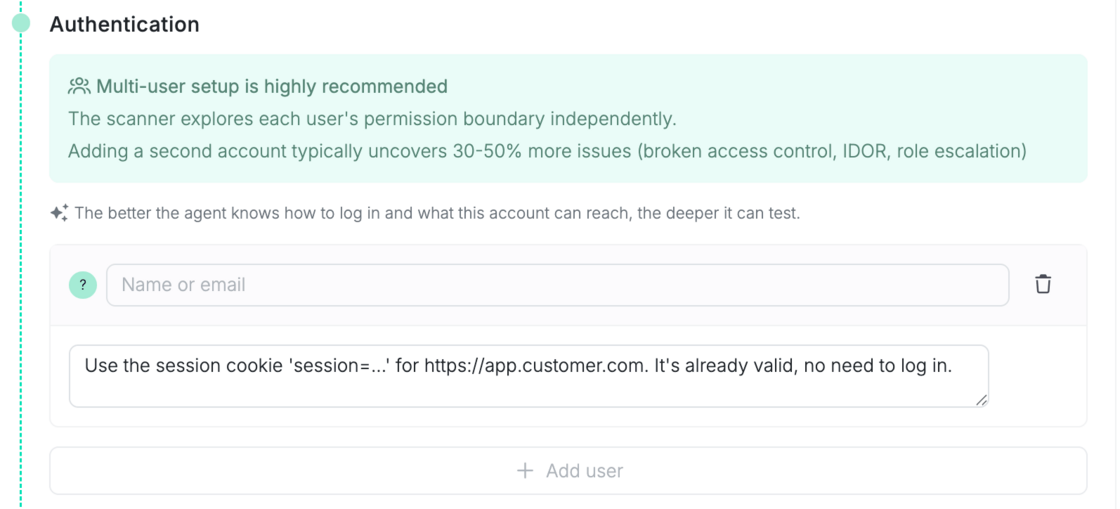
Escape extracts the cookie, along with any request headers or local storage values you include, and injects them into the agent's browser before the run starts. The agent lands already authenticated.
This works per user, so each role you configure in the scan setup flow can carry its own session.
Security & safety
This handles live credentials, so we were deliberate:
- Extracted secrets are not sent to asset or reporting events. Session values don't appear in logs or reports.
- A dedicated extractor model parses only what you explicitly write. It never invents credentials.
AI pentesting that now reports assets, not just issues
Cascade behaves like the rest of the platform now. It reports assets, links issues to the right one, and feeds both into ASM and coverage.
Assets get reported passively. There's no separate discovery run and nothing changes about how you launch a scan. As Cascade pentests what's in scope, it surfaces the assets it encounters along the way, currently webapps and APIs. Every AI pentest is now also an attack surface contribution.
Issues attach to the asset they were found on. A SQL injection on a specific API endpoint lands on that endpoint, not the parent application. Previously every finding landed on the root scanned application, even when the culprit was an API or sub-app behind it. Correctly correlated findings route to whoever owns the asset and flow into coverage, ASM, and reporting without cleanup in between.
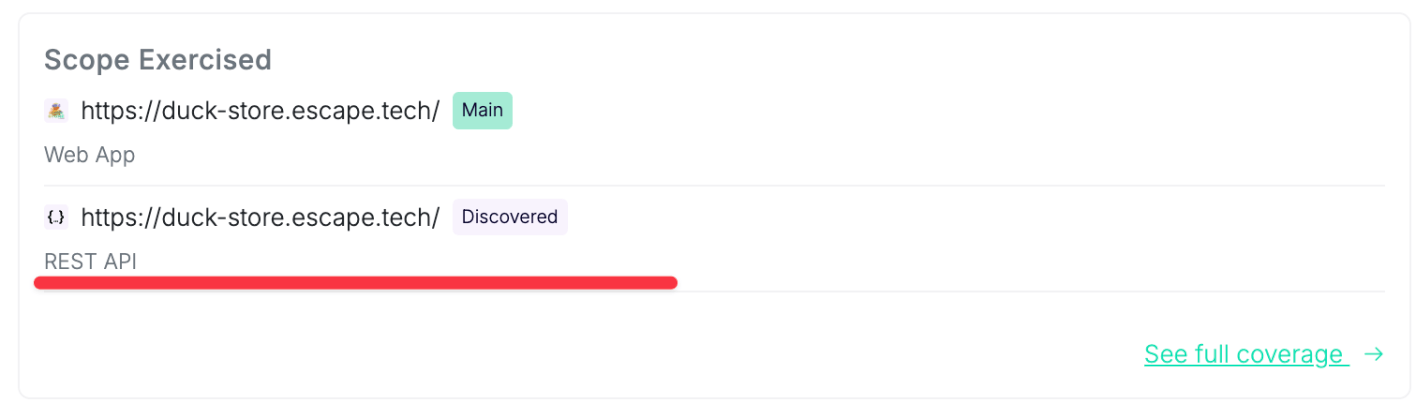
Visible in the AI Pentest view. Under "Scope exercised", you'll see the output assets a run exercised, with a link through to coverage. Long lists collapse to the first few and a count.
What this adds up to
Taken together, July's changes shorten the distance between deciding to test something and having a result you can hand to an engineer.
- Your context only has to be given once. A false positive you triage, an artifact you upload, a restriction you set. Each one persists and shapes the runs that follow, so setup effort compounds instead of repeating.
- Every run starts on safe ground. Default scope restrictions mean a new profile is usable immediately, without someone having to anticipate every destructive route before the first test.
- Testing reaches a hard-coded value when it is the only way through. Most real vulnerabilities live in authenticated territory. Now it's one line of text to get started.
- Findings arrive ready to route. A vulnerability attached to the specific asset it was found on goes to the team that owns that asset, and feeds coverage, ASM, and reporting without cleanup in between.
Questions about anything here, or something you want to see next month? Talk to your customer success team, or book a demo if you're not testing with us yet.
💡 Want to see what Escape's AI pentesting has already discovered live? Check out the following articles: