Introducing Projects: Turn Visibility Into Action With Clear Ownership
Assign the assets to the right project, add the right people, and let them start reviewing findings and patching what needs to be patched.

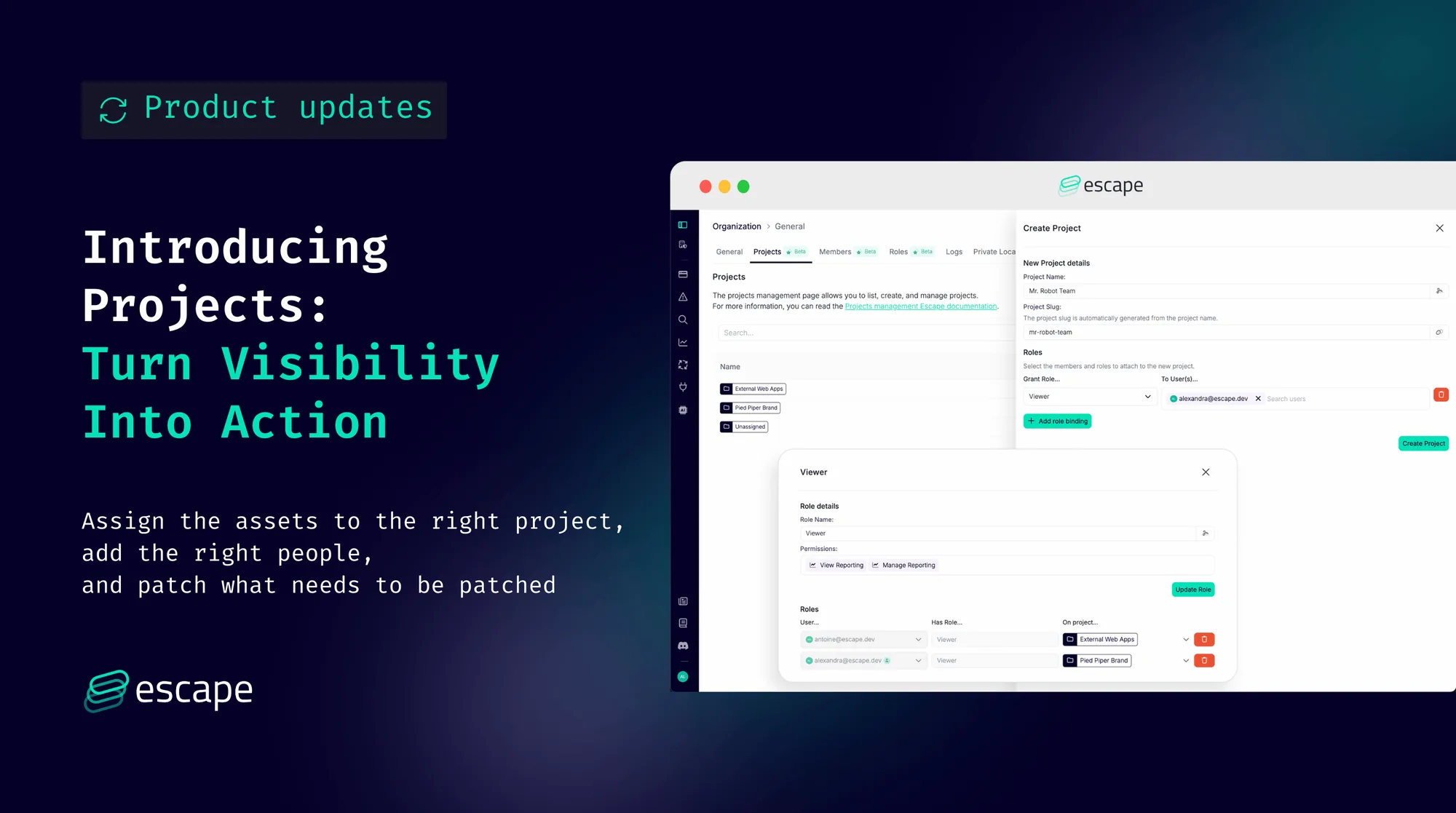
Today, we’re releasing Escape Projects, a new way to organize your assets within the Escape platform and assign access so teams can quickly act on the findings that matter to them.
For companies operating across multiple brands, managing acquisitions, or running split engineering teams, the old tag-based RBAC model made it hard to know what assets belong to what team, who should have access to it and who should fix what. Too many people had access to too many assets, saw too many findings, and not enough action followed.
Projects change that.
“We’re looking forward to this because it will be easier for us to add the right people, put the assets in the right project, and let them start reviewing findings and patching what they need to patch.”
Why This Matters (the real problem we’re solving)
Security teams often have great overall visibility — but ownership isn’t clear, which means findings linger.
Projects give you:
1. Clear ownership
Teams see the assets and findings they’re actually responsible for.
2. Less noise, more action
Engineers stop sifting through information that doesn’t belong to them.
3. Faster remediation loops
By mapping subdomains, apps, or brands to their owners, teams can act immediately and remediation progress over time.
4. Enterprise-scale flexibility
Perfect for companies with multiple brands, complex org charts, or frequent M&A activity.
In short:
What’s New
1. Project-Based Access Control
Create Projects that map directly to your real-world structure (brands, business units, product teams, regions, etc.).
Assign assets to Projects and bind the right users with scoped permissions.
2. Tags Are No Longer Used for RBAC
Tags stay in the product for filtering and scanning logic—but they no longer control access.
3. Old Team Roles Have Been Removed
We’ve replaced legacy team roles with clearer, more predictable project-scoped roles.
4. Assets Drive Access, Not Profiles
Profiles themselves aren’t tied to Projects.
Their assets are — giving you flexibility as your org evolves.
5. Global Elements Stay Global
For compatibility:
- Custom Rules remain global and need a global role binding to edit
- Workflows also remain global
- During scans, existing tag-based rules still apply
How It Works
- Go to Organization Settings → Projects: This is where you create, edit, and manage Escape Projects.
- Create a Project:
Projects can represent brands, teams, BU's, regions, or any logical ownership boundary.
Examples: “Brand A”, “Payments”, “EU Web Team”, “Team A”.

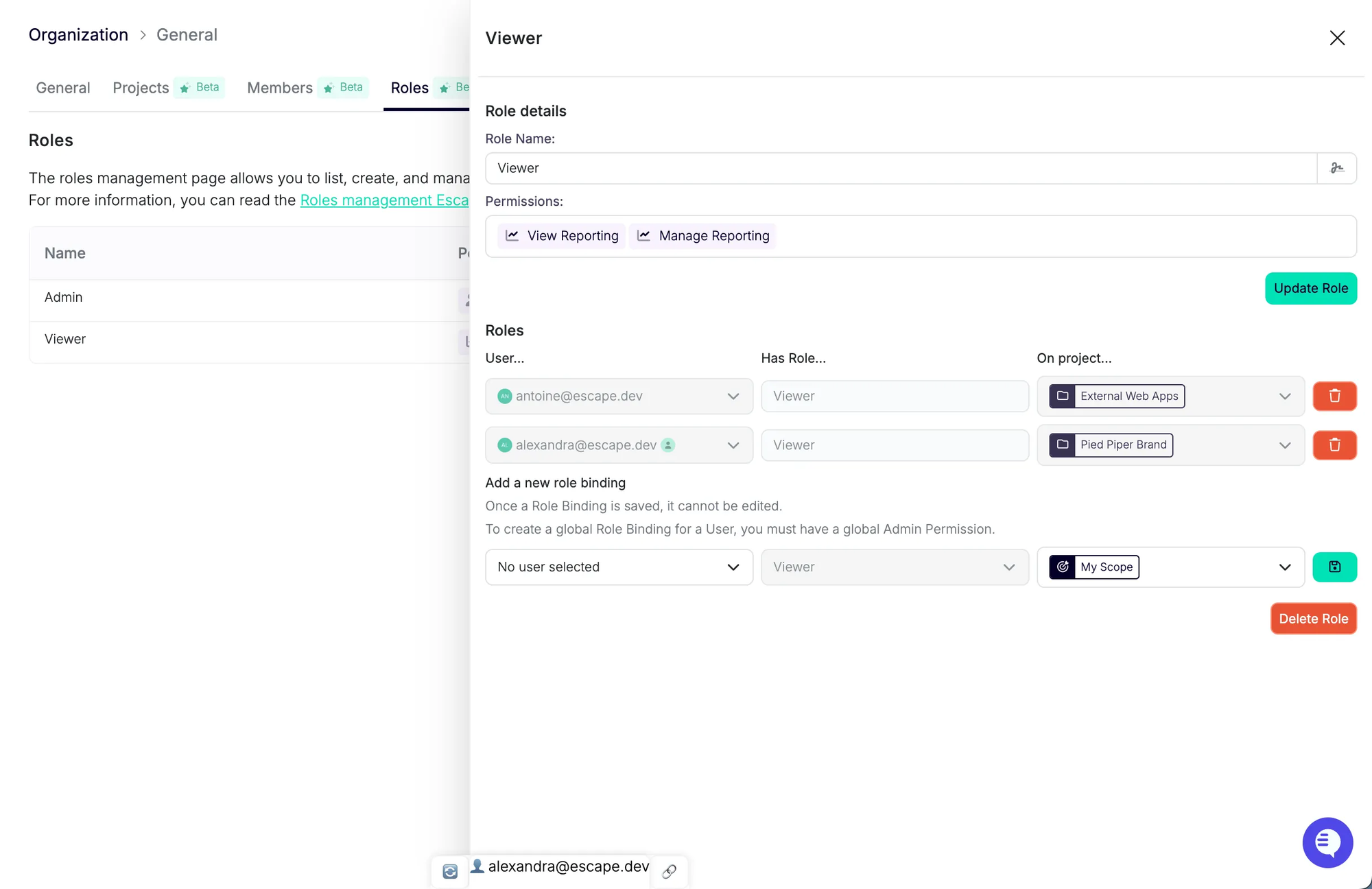
- Bind users to the Project with the appropriate role: Give team members the right level of access: Viewer, Editor, Admin, etc.
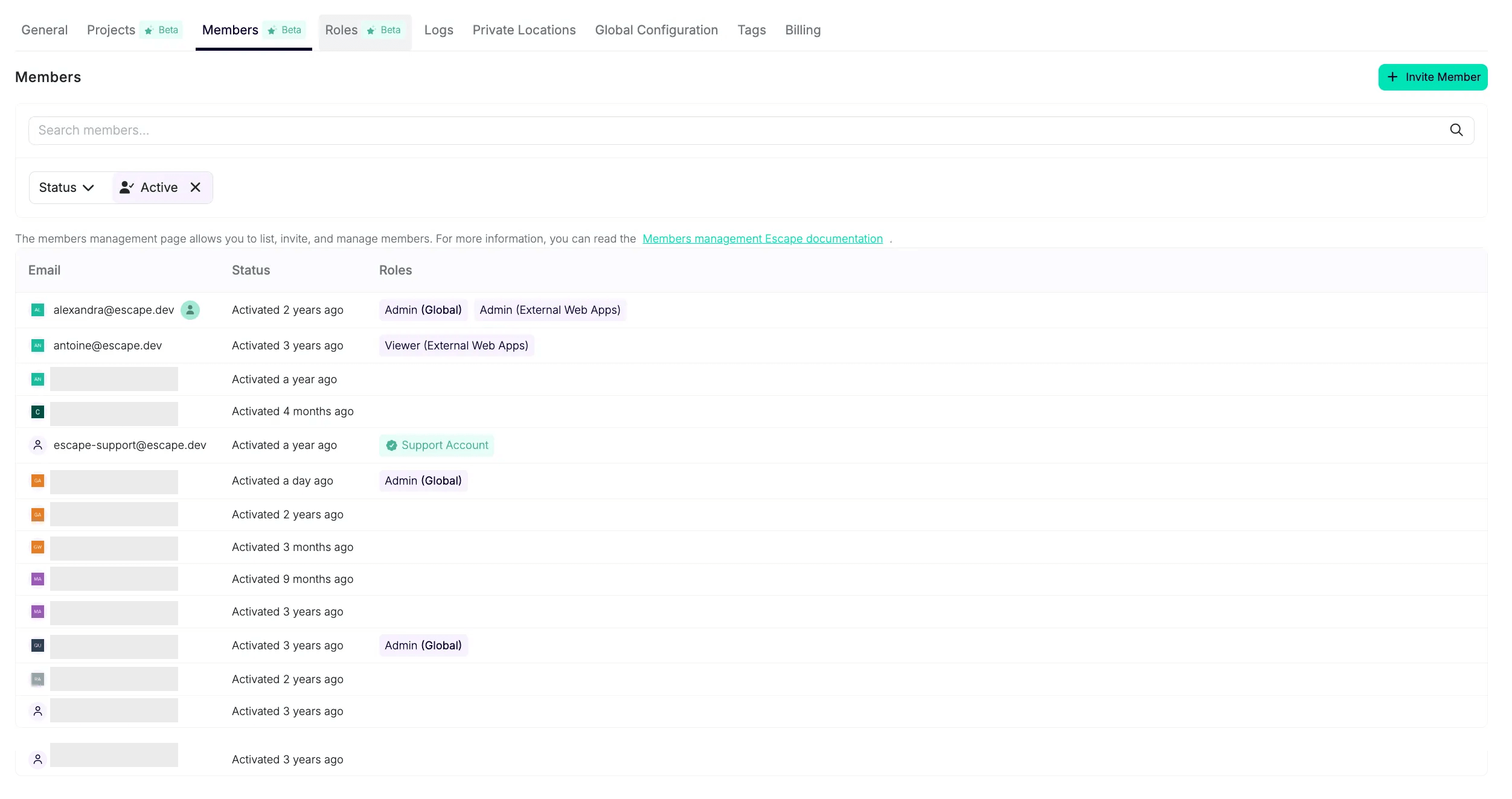
- View All Members of a Project: Under the Members tab, you can see who has access and with which role.
- Assign assets to that Project:
Projects are powered by the assets they contain. Assign domains, subdomains, schemas, and profiles to each Project. All associated scan profiles and issues will be auto-assigned as a result.
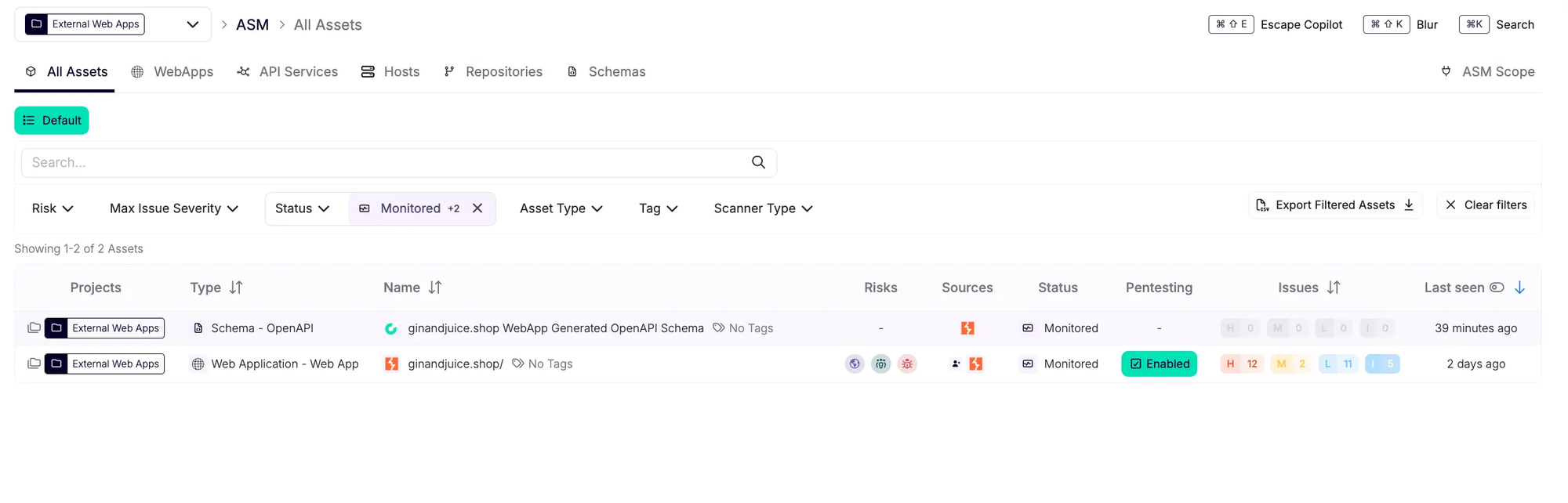
It is possible to bulk assign a domain name or other filter of your preference:

- Teams can now filter on the assets and findings they own to ensure efficient vulnerability management:

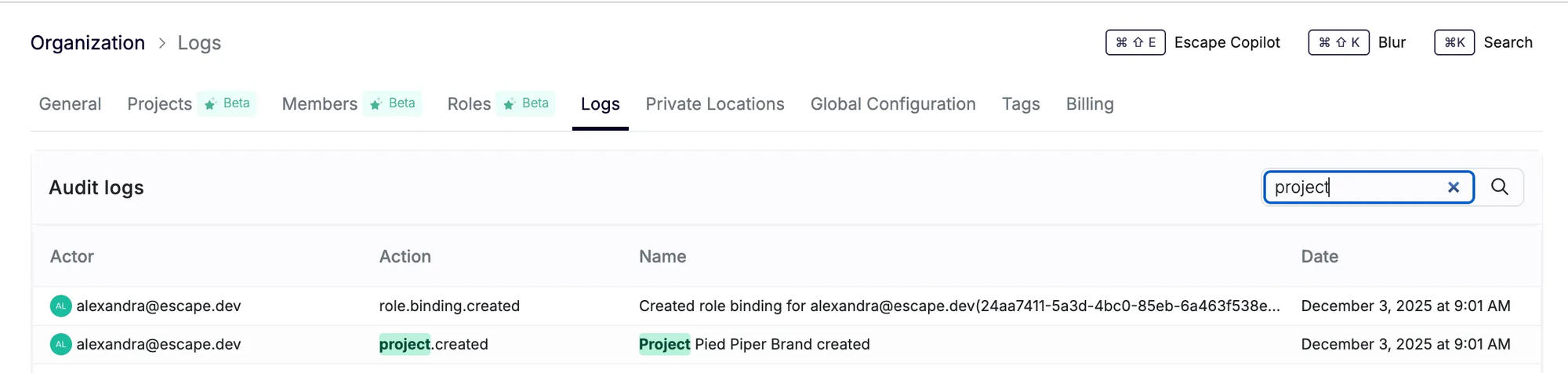
- Critical operations happening on projects (creating, editing, deleting) are audited and can be viewed in the audit logs page:
Assigning “Unclassified” Assets — Important
If you have assets that are not yet classified, we recommend creating a dedicated Project, such as: “Not Assigned”
You can bulk-assign these assets later from the Inventory. Use the Project filter and select “No project” to filter on any assets that are not yet assigned to a specific scope.
Why this matters:
Concrete Example of How Projects Can Fit into Your Workflows
Let’s say you want a specific software engineer to only view vulnerabilities for the assets they work on — nothing else.
You would:
- Create a Project called “Team A”
- Assign the relevant assets to that Project
- Bind the engineer to the Project with
- View Reporting
- Manage Reporting
- When they log in, they will only see
- The assets they own
- The vulnerabilities and findings related to those assets
- Their filtered list inside the All Issues tab
If the engineer works across multiple projects, their scope will simply be the union of those Projects, and they can still filter down to a single Project when needed.
⚠️ Important Note About Deleting Projects
This will change in an upcoming update.
For now, please unlink assets before deleting a Project.
What’s Coming Next
We're already working on scoping more functionality to Projects, so teams can operate independently end-to-end.
Coming soon:
- Workflows scoped to Projects
- Integrations scoped to Projects (Slack, Jira, etc.)
- Project-scoped reporting
- Automated alerts for each team, routed only to the relevant Project
- More granular API support
For now, automated workflows can be built through the Escape API (Beta):
https://public.escape.tech/v3/#tag/beta/post/projects

Conclusion: A scalable RBAC model that grows with your environment
To sum up, with Projects in place, your organization gains:
- Deeper visibility into ownership
- Clearer accountability across teams and brands
- Actual action on findings — not just reporting
- A scalable RBAC model that grows with your environment
It’s a practical step toward helping teams move from simply seeing issues to actually addressing them — with the right people looking at the right assets from day one.
💡 Check out more product updates below: